
Invisible CAPTCHA is a human-verification method that evaluates a visitor without asking every visitor to solve a visible puzzle. It can run in the background, assign a risk signal, or invoke a challenge only when the request looks suspicious. That makes it useful for reducing friction—but invisibility is a delivery mode, not proof that the request is safe.
The practical question for an enterprise is not “Can we hide the CAPTCHA?” It is “What evidence should decide whether this action is allowed, challenged, delayed, or denied?” The answer requires risk signals, action-aware policy, a recovery path for legitimate users, and measurement after launch.
How Invisible CAPTCHA Works
An invisible implementation usually has three stages: collect signals, make a risk decision, and apply the least disruptive control that fits the action. The exact signals differ by provider and deployment, so a “background check” should not be treated as a single technical category.
1. Behavioral risk scoring
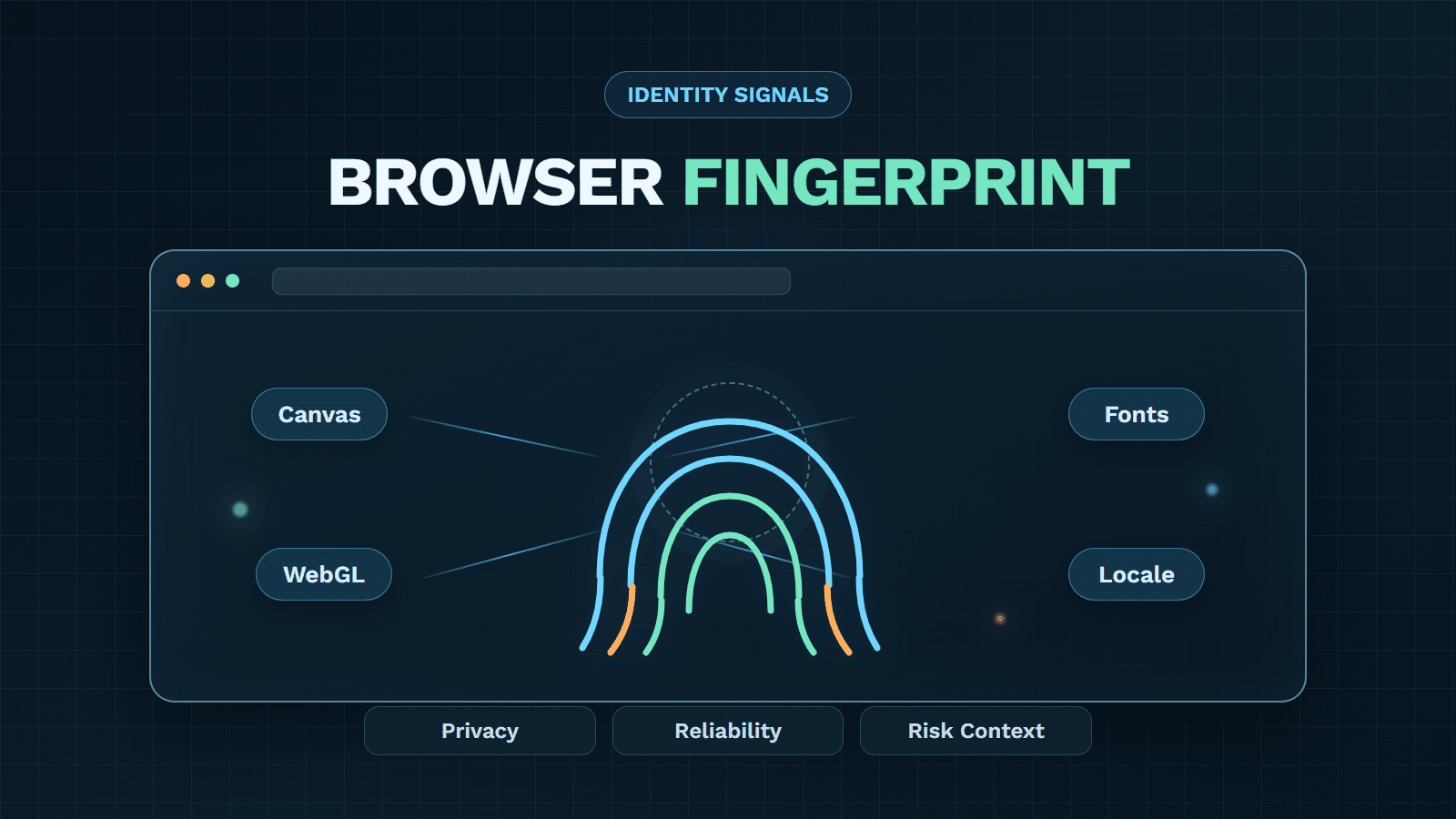
Behavioral systems look at interaction and request context rather than asking for a puzzle immediately. Signals may include pointer and keyboard patterns, navigation timing, session consistency, device context, IP reputation, account history, and request velocity. A model or rules engine turns those observations into a risk result.
The result is not a declaration that a person has been identified. It is evidence for a decision. A returning user on a familiar device may be low risk, while a new device making rapid password-reset attempts may deserve additional verification even if the browser can render a normal page.
2. Proof-of-work and honeypot checks
Some “invisible CAPTCHA” discussions refer to different mechanisms. A honeypot adds a field or interaction that ordinary users do not see but simple scripts may fill. A proof-of-work approach asks the browser to perform computation before a request is accepted. These methods can be useful in specific abuse patterns, but they do not provide the same evidence as behavioral risk scoring.
The distinction matters when comparing products. A hidden field can catch a basic form bot, while computation can make high-volume automation more expensive. Neither automatically understands account context or device reuse.
3. Step-up challenges for uncertainty
When evidence is incomplete, a system can ask for a visible interaction or another verification step. This is often the most important part of an invisible design: low-risk sessions continue quietly, while uncertain or high-risk sessions receive a control that is proportionate to the action.
That fallback should be accessible, explainable enough for support teams, and recoverable when a legitimate user cannot complete it. The WCAG 2.2 guidance is a useful reference when teams design an alternative path, error handling, and input assistance around verification.
What Patterns Make CAPTCHA Invisible?
Invisible CAPTCHA is not one technical mechanism. It is better understood as a stack of overlapping design patterns: how verification is delivered, what evidence is collected, and how the application responds to uncertainty.
| Design layer | Common pattern | What it contributes | Main limitation |
|---|---|---|---|
| Delivery | Background execution, an invisible badge, or no default challenge | Removes routine interaction from the normal path | A hidden interface says nothing about signal quality |
| Evidence | Behavioral and environmental risk signals | Helps distinguish ordinary sessions from suspicious activity | Needs representative data, monitoring, and careful thresholds |
| Detection technique | Honeypot or lightweight trap | Stops some unsophisticated form automation | Weak against adaptive or human-assisted automation |
| Computational control | Proof-of-work | Adds cost to high-volume automation | Device cost varies, and computation is not identity proof |
| Response policy | Adaptive step-up | Adds a challenge only when uncertainty justifies it | Poor policy can create false positives or leave risky actions under-protected |
These patterns can be combined. For example, a background probe can collect evidence for a risk policy, which then selects a visible challenge for a high-value action. Separating the layers prevents a hidden interface from being mistaken for detection quality or enforcement strength.
Which Invisible CAPTCHA Options Are on the Market?
1. GeeTest Adaptive CAPTCHA
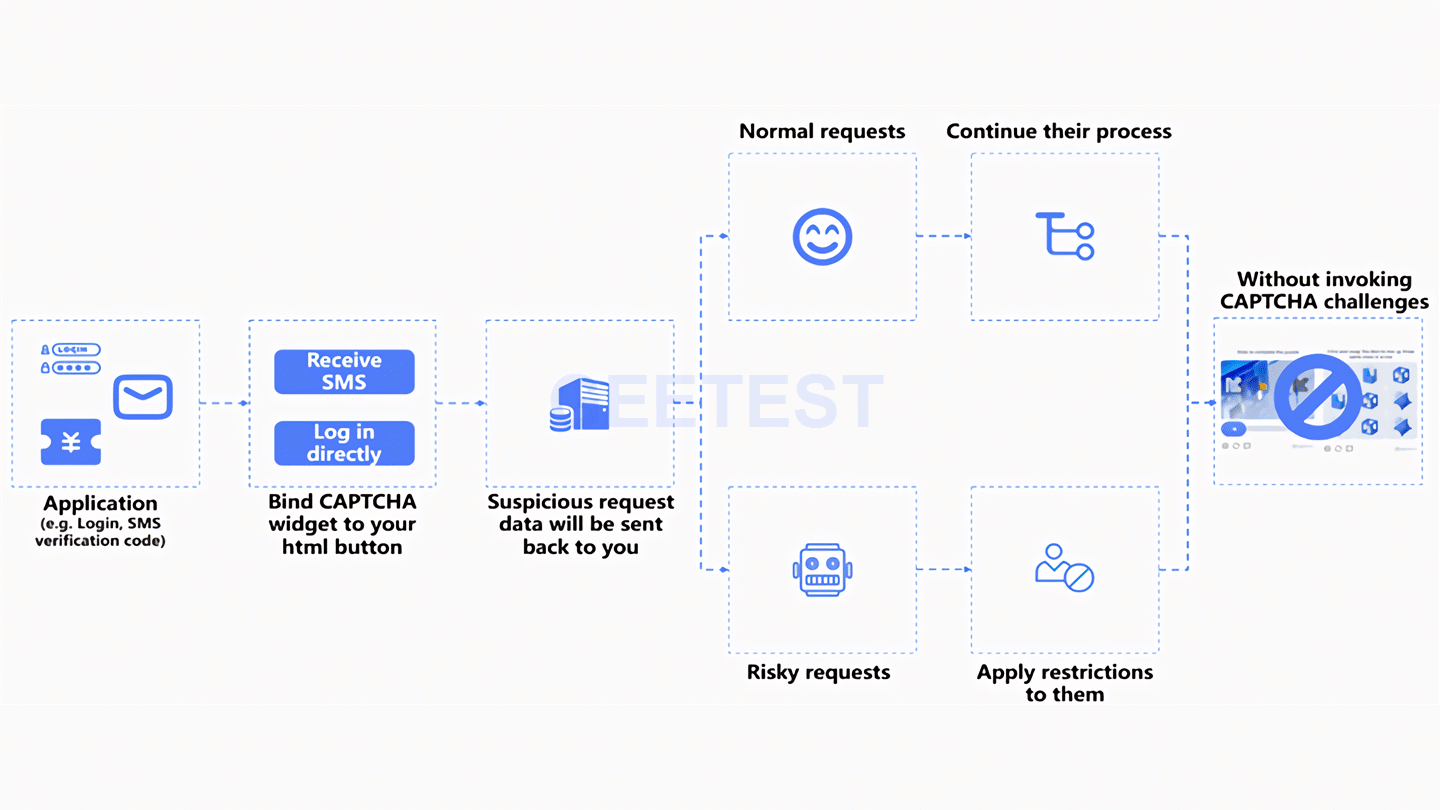
GeeTest Adaptive CAPTCHA combines behavioral analysis, environmental detection, and interactive verification to distinguish ordinary users from automated traffic at high-risk entry points such as registration, login, SMS requests, and downloads. Its value is not limited to hiding a widget. It provides several ways to control when verification appears and how much interaction the request should require.
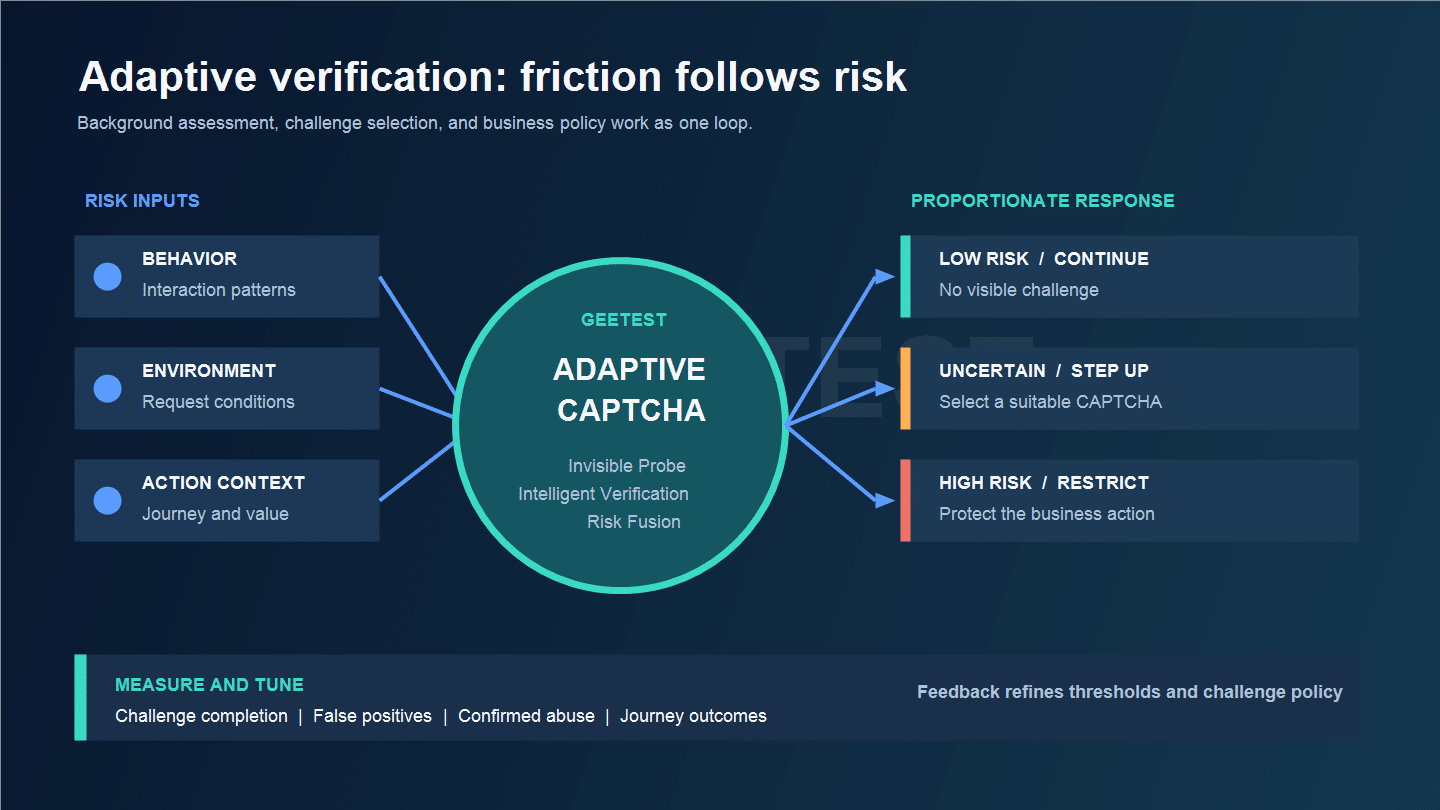
Invisible Probe performs background risk assessment without displaying a CAPTCHA challenge and returns a risk result to the business side. Intelligent Verification can select a suitable challenge according to risk, while Risk Fusion lets an enterprise use its own logic to determine the challenge type through an API. This gives teams a path from silent assessment to adaptive step-up verification without applying the same puzzle to every visitor.
GeeTest supports multiple verification forms, but they should not be assumed to provide identical protection in every scenario. The implementation still needs action-specific thresholds, server-side result validation, and a fallback path for legitimate users. Invisible Probe is a low-friction assessment mode, not a universal replacement for visible verification when risk remains uncertain.
2. Google reCAPTCHA
Google’s reCAPTCHA family includes two distinct invisible approaches. Invisible reCAPTCHA v2 runs after a configured action and may present a challenge when its assessment requires more evidence. reCAPTCHA v3 returns a score and action information without interrupting the user; the site decides whether to allow, monitor, challenge through another control, or reject the request. Teams should evaluate these models separately rather than treating the lack of a checkbox as a shared security outcome.
3. hCaptcha
hCaptcha offers an invisible integration pattern that can defer an interaction until the risk decision requires it. As with any provider, the integration should be assessed on signal quality, challenge accessibility, observability, and how the result is connected to the business action—not only on whether the widget is hidden.
4. Friendly Captcha, ALTCHA, and CAPTCHA.eu
This group illustrates the broader market: some approaches emphasize proof-of-work, some combine passive checks with challenges, and some focus on self-hosting or privacy-oriented deployment. They may be a good fit for a narrow threat model, but buyers should test performance on the actual journey. A registration form, account recovery flow, and ticket release endpoint do not have the same risk or cost profile.
Why Invisible CAPTCHA Improves UX
1. Lower interaction cost
Visible puzzles interrupt the task, require attention, and can be difficult on mobile or assistive technology. Removing the default puzzle reduces the number of clicks and the chance that a user abandons a registration, login, download, or checkout flow. It also reduces the support burden created by challenges that fail to render or are hard to understand.
The improvement is conditional. Legitimate users still need a clear recovery path when the system is uncertain. A hidden control that silently blocks a valid action is an invisible error.
2. Better fit for high-volume journeys
Some actions happen frequently: signing in, refreshing a dashboard, requesting an SMS, or submitting a form. Challenging every request would consume attention and verification capacity. A risk-tiered approach can reserve friction for the small portion of sessions that create a meaningful security concern.
This also lets teams align controls with business value. A content view may need observation only, while password reset or limited-inventory purchase can justify a step-up check.
Why Invisible CAPTCHA Can Still Fail
The phrase “invisible” often creates an expectation that the system is both effortless and comprehensive. That is where many deployments become weaker than they look.
1. A silent check is not a risk decision
Collecting a score does not define what happens next. If the application accepts every request below an arbitrary threshold, attackers can probe the boundary. If it blocks every uncertain session, legitimate users on shared networks or new devices can be rejected. Security comes from connecting the signal to an action-aware policy and reviewing the outcomes.
The policy also needs to account for sequence. A single login may look ordinary, while hundreds of password-reset requests from related devices, accounts, or phone numbers reveal abuse. Invisible CAPTCHA is one signal in that sequence, not a replacement for rate limits, authentication controls, transaction monitoring, or business rules.
2. Human farms and token replay bypass the puzzle
An attacker does not need to defeat the visual challenge if a person can solve it, a valid token can be replayed, or automation can operate after verification. Human-assisted solving, residential proxy rotation, device reuse, and stolen sessions move the problem outside the puzzle itself. These failure modes vary by attacker, workflow, and deployment, so a universal bypass rate would be misleading.
Design the verification result as narrowly as possible: bind it to the intended action, session, and time window; validate it server-side; and avoid treating a successful check as permanent trust. For token-bound request context, teams can review the IETF RFC 9449 discussion of sender-constrained tokens, while remembering that token binding is complementary to bot policy rather than a CAPTCHA substitute.
3. False positives and privacy trade-offs
Behavioral signals can be noisy. Mobile networks, corporate proxies, browser privacy settings, shared devices, and assistive technologies may look different from the model’s familiar traffic. A system that hides the challenge but offers no explanation or recovery can turn a security control into a conversion problem.
Data collection also deserves a clear governance review. Document what signals are used, how long they are retained, who can access them, and how a user can recover. Avoid claiming that invisible means anonymous, private, or compliant by default; those properties depend on the implementation and jurisdiction.
How to Balance Security and User Experience
Security and user experience should not be treated as opposite ends of one slider. The better design changes the unit of control: instead of challenging every visitor, evaluate the risk of each action and increase friction only when the evidence requires it. GeeTest Adaptive CAPTCHA supports this approach by connecting background assessment, adaptive challenge selection, and enterprise-controlled verification policy.
1. Start with invisible assessment, not invisible trust
Invisible Probe can assess risk in the background and return the result without interrupting the normal path. That is a useful starting point for frequent actions such as login or SMS requests, where challenging everyone would create unnecessary friction. But the background result must lead to explicit outcomes: allow low-risk traffic, monitor or rate-limit uncertain traffic, and step up or restrict high-risk actions.
Define those outcomes per business journey. A content view, account recovery request, promotional claim, and high-value purchase have different consequences. They should not inherit one global CAPTCHA threshold simply because they share a website or app.
2. Adapt the challenge to the level of uncertainty
When more evidence is needed, GeeTest Intelligent Verification can select a suitable verification form according to risk. This is more useful than a binary “CAPTCHA on or off” policy: a low-risk user can continue without a visible challenge, while a suspicious request can receive an interaction that raises the cost of automation.
Enterprises that need closer control can use Risk Fusion to determine the challenge type through their own logic and API integration. That allows the CAPTCHA response to reflect account status, phone number, region, IP, request frequency, and the value of the action. Multiple challenge forms are available, but the strongest choice is the one matched to the current threat and user context—not the one shown most often.
3. Design recovery as part of the security control
Risk-based verification will sometimes challenge a legitimate user. The system therefore needs an accessible alternative, a safe retry path, and a way for support teams to investigate failure without exposing sensitive detection logic. A silent block may remove a puzzle from the screen, but it does not create a better experience.
Measure challenge completion, abandonment, latency, repeated failures, and support contacts by journey, region, language, and accessibility need. These measures show whether friction has truly been reduced or merely moved into an error state.
4. Close the loop with action-level feedback
Treat the CAPTCHA result as evidence for one protected action, validate it server-side, and keep its scope and lifetime narrow. Then connect confirmed abuse and legitimate-user outcomes back to threshold review. This feedback loop helps teams tune Invisible Probe, challenge selection, and enforcement policy around observed results rather than assumptions.
The GeeTest effective bot detection solution article provides a related view of layered controls. Within this design, Adaptive CAPTCHA verifies interaction, returns risk information, and applies a proportionate challenge; the business still decides how that evidence affects the protected action.
What to Measure Before You Trust It
Do not use challenge rate as a proxy for security. A low challenge rate may mean the system is accurate—or that abusive traffic is not being detected.
| Measurement area | Example questions | Why it matters |
|---|---|---|
| Security | What share of confirmed abuse reaches the action? How often are tokens replayed? | Tests whether protection covers the business outcome |
| Precision | How many challenged users are later confirmed legitimate? | Exposes false positives and threshold cost |
| Experience | Completion, abandonment, latency, accessibility complaints | Shows whether friction moved or disappeared |
| Operations | Review volume, policy changes, challenge failures, support contacts | Measures maintainability and recovery effort |
| Business | Abuse loss, account-takeover attempts, inventory leakage, SMS spend | Connects the control to the protected action |
Establish a baseline before changing thresholds. Segment results by action and user cohort, then run a controlled review after launch. The goal is not to maximize invisible pass-through; it is to reduce harmful automation while keeping legitimate journeys predictable.
Final Takeaway
Invisible CAPTCHA is useful when it removes unnecessary friction from low-risk interactions and reserves verification for uncertainty. It becomes ineffective when a hidden score is mistaken for a complete security decision. Give users real security by binding results to the action, combining independent signals, limiting token scope, providing accessible recovery, and measuring both abuse and user impact. GeeTest Adaptive CAPTCHA can be evaluated as the risk-based verification layer within that broader decision system—not as a replacement for the rest of it.
FAQ
1. What is invisible CAPTCHA?
It is a CAPTCHA or human-verification implementation that normally runs without showing a puzzle or checkbox. It may score risk in the background and show a challenge only when more evidence is needed.
2. How does invisible CAPTCHA work?
Depending on the implementation, it may collect behavior, device, session, network, and request-velocity context; use a lightweight trap; or require background computation. The application then uses the resulting evidence to allow, observe, rate-limit, challenge, or deny an action.
3. Is invisible CAPTCHA effective against bots?
It can reduce automated abuse at selected entry points, but it is not sufficient alone. Human-assisted solving, token replay, proxy rotation, device reuse, and business-logic abuse require additional signals and controls.
4. Is invisible CAPTCHA better for user experience?
Usually for low-risk, high-volume journeys because it removes a default puzzle. The benefit disappears if thresholds create false positives or if legitimate users have no accessible recovery path.
5. What happens when invisible CAPTCHA cannot decide?
A well-designed policy steps up proportionately: it may rate-limit, request a visible challenge, require another verification factor, or route the event for review. The fallback should be tied to the action and support recovery.
6. How should enterprises choose an invisible CAPTCHA?
Compare signal quality, challenge accessibility, server-side validation, privacy controls, observability, integration effort, and policy flexibility. Test the product against the actual actions you need to protect instead of comparing badges alone.