Takeways
1. What is Slider CAPTCHA?
Slider CAPTCHA is a verification method that asks users to drag a slider to complete a task, helping distinguish humans from automated bots through simple interaction.
2. Why Websites Need Slider CAPTCHA Today?
Because modern bots use AI to mimic human behavior, traditional text and image CAPTCHAs are easier to bypass. Slider CAPTCHA focuses on interaction patterns, making it more effective against advanced automation.
3. How does Slider CAPTCHA verify users?
It combines visual alignment with behavioral analysis, evaluating how users drag the slider, including speed, trajectory, and timing, rather than only checking the final position.
4. What are the main benefits of Slider CAPTCHA?
It improves user experience with simple interaction while enhancing security through behavior-based detection, reducing both bot abuse and user frustration.
5. How is Slider CAPTCHA different from traditional CAPTCHA?
Slider CAPTCHA relies on user behavior instead of text or image recognition, offering better usability and stronger resistance to automated solving.
6. How to Choose the Right Slider CAPTCHA Tool
Key factors include security level, user experience, integration effort, performance, compliance, and long-term maintainability in an AI-driven threat environment.
7. Why Choose GeeTest for Slider CAPTCHA?
GeeTest pioneered the world’s first behavior-based Slider CAPTCHA in 2012 and has refined it through more than a decade of real-world use, providing proven reliability, adaptive security, and smooth user experience.
What is Slider CAPTCHA?
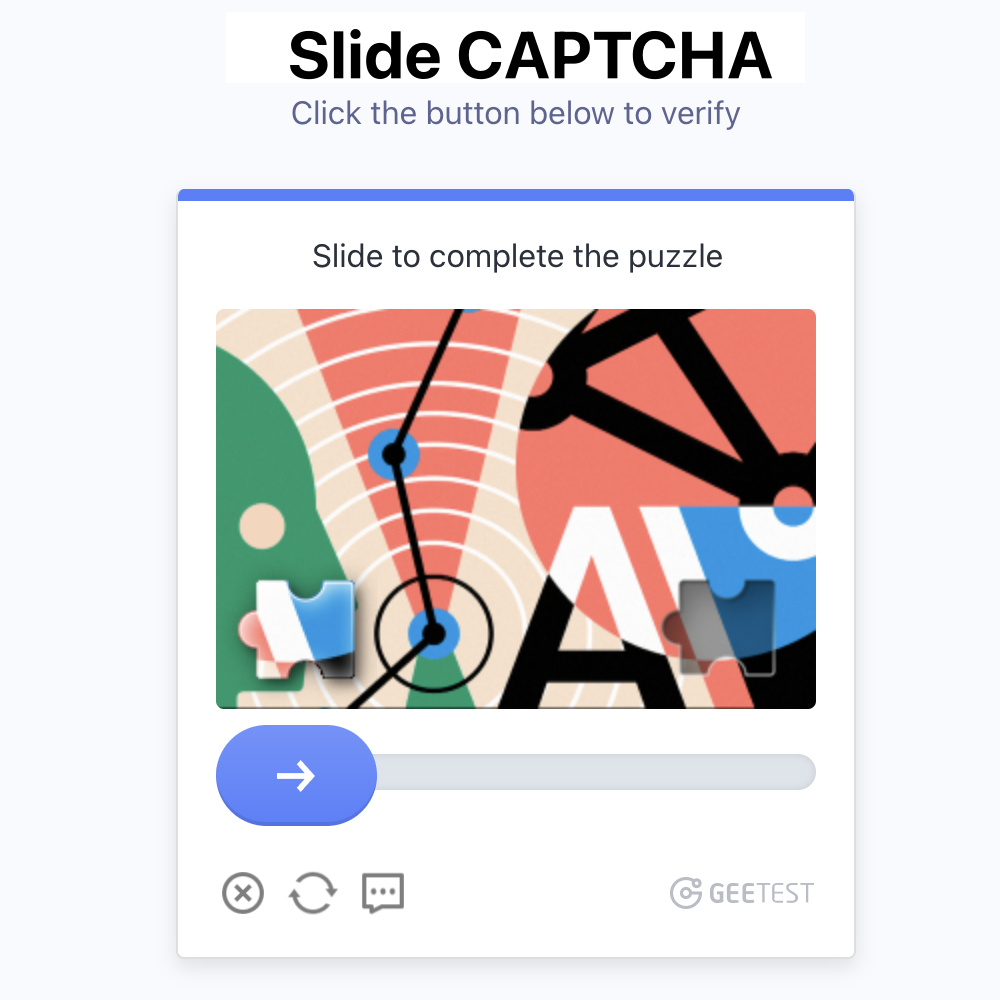
A slider CAPTCHA is a verification tool that requires you to drag a slider to complete a task. This simple action helps distinguish between human users and automated bots. By moving the slider, you prove that you are not a bot trying to access the online service. This method is intuitive and user-friendly, making it a popular choice for many websites and apps.
Why Websites Need Slider CAPTCHA Today?
The Evolution of Bot Attacks in the Age of AI
Bot attacks are no longer driven by simple scripts. With the adoption of AI and automation frameworks, modern bots can mimic human behavior, rotate environments, and adapt to defenses in real time. Many traditional text- and image-based CAPTCHAs can now be solved using machine learning, reducing their effectiveness against large-scale abuse.
From Isolated Abuse to Organized Attacks
What once appeared as random spam has evolved into coordinated attack campaigns. Bots are now widely used for credential stuffing, fake account creation, content scraping, and abuse of online promotions. These automated activities often operate as part of larger attack chains, making it increasingly difficult to separate real users from malicious automation using static verification methods alone.
Balancing Security and User Experience
As threats grow more advanced, verification systems must become smarter without becoming more intrusive. Complex challenges may block bots, but they also increase user friction and abandonment rates. Slider CAPTCHA offers a practical balance by focusing on behavioral interaction rather than visual recognition. It evaluates how users act, not just what they submit, providing stronger protection while keeping the verification process fast and intuitive.
How Slider CAPTCHA Works?
Slider CAPTCHA balances good UX with security by combining visual alignment with behavioral analysis of how you drag the mouse or finger.
What Do Users See and Do with a Slider CAPTCHA?
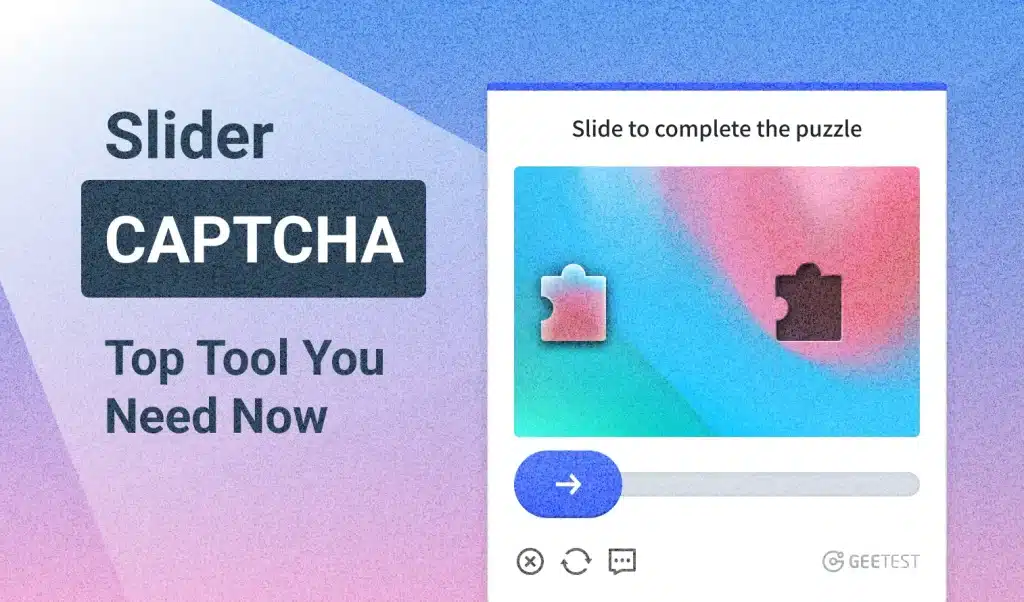
- A widget pops up with a background image that has an irregular gap/notch (often with a shadow or edge for visibility).
- A puzzle piece (the exact shape cut from the image) sits separately or overlaid.
- Below is a horizontal slider bar with a draggable handle/knob.
- You click (or touch) and drag the slider left or right. The puzzle piece moves in real time.
- When the piece fits perfectly into the gap, you release the mouse/finger.
- If correct, it succeeds (green check or “verified”). If not, it may shake/reset or show a new challenge.
Some simple variants use a basic “slide to unlock” or “slide to confirm” interaction without a puzzle image and require users to drag the slider to the end of the bar. However, the puzzle-based version provides stronger security.
How It Works Technically (Behind the Scenes)
Although slider CAPTCHA appears simple, it relies on a layered verification process that combines image generation, user interaction tracking, and server-side analysis.
1. Server-Side Generation
The server selects or generates a background image and randomly defines the horizontal position of the missing puzzle piece. A uniquely shaped cutout is created, and visual elements such as shadows or noise may be added to reduce the effectiveness of automated recognition.
The correct target position and a session-specific token are stored securely on the server and are never exposed to the client in plain text. The browser receives the background image with the gap and the puzzle piece, often rendered through HTML canvas.
2. Client-Side Interaction
On the client side, the user drags a slider to move the puzzle piece across the image. During this process, the system records the full movement trajectory, including position, timing, and speed.
When the user releases the slider, the frontend sends the final offset together with the collected behavioral data and obfuscated parameters back to the server for validation.
3. Server-Side Verification
Verification takes place in two stages. First, the system compares the final slider position with the correct target offset, allowing for a small margin of human error.
Second, behavioral analysis is applied as the core security mechanism. Machine learning models evaluate whether the movement pattern reflects natural human interaction, such as variable speed, slight pauses, and small irregularities, or automated behavior, which often appears overly straight, uniform, or abrupt.
Additional risk signals, including device fingerprinting, IP reputation, and session history, may be incorporated into the final decision. If the overall result is acceptable, verification succeeds. Otherwise, the request may be rejected or escalated to a stronger challenge.
What are the Benefits of Using Slider CAPTCHA?
Improved User Experience
1. Ease of Use for Website Visitors
You will find the CAPTCHA slider incredibly easy to use. Unlike traditional CAPTCHAs that require deciphering distorted text or selecting specific images, slider CAPTCHA involves a simple sliding action. This straightforward process allows you to complete verification quickly and efficiently. You just drag the slider to match the puzzle piece or complete the task. This simplicity ensures that you spend less time on verification and more time enjoying the content of the website.
2. Reduction in User Frustration
Slider CAPTCHA significantly reduces user frustration. Traditional CAPTCHAs can be confusing and time-consuming, often leading to user dissatisfaction. With slider CAPTCHA, you experience a smooth and hassle-free interaction. The intuitive design minimizes errors and misunderstandings, making the process more enjoyable. You no longer need to worry about misreading distorted characters or selecting incorrect images. This reduction in frustration enhances your overall experience on the website.
Enhanced Security
1. Protection against bots
Slider CAPTCHA provides robust protection against bots. Bots cannot perform the sliding action required by slider CAPTCHA, effectively preventing them from accessing your site. This security measure ensures that only genuine users, like you, can interact with the website. By implementing slider CAPTCHA, you safeguard your site from malicious activities and unauthorized access. This protection is crucial for maintaining the integrity and security of your online platform.
2. Adaptability to different security needs
Slider CAPTCHA adapts to various security needs. Whether you run a small blog or a large e-commerce site, slider CAPTCHA offers customizable solutions to fit your requirements. You can adjust the complexity of the sliding task to match your security level. This adaptability ensures that you maintain optimal security without compromising user experience. By choosing slider CAPTCHA, you tailor the security measures to suit your specific needs, providing a balanced approach to website protection.
Slider CAPTCHA vs. Traditional CAPTCHAs
Slider CAPTCHA offers several advantages over traditional CAPTCHA in terms of user experience, security, performance, adaptability, and integration. By leveraging advanced techniques such as behavior analysis and dynamic challenges, slider CAPTCHA provides a more robust and user-friendly solution for protecting websites and applications from automated threats.

How to Choose the Right Slider CAPTCHA Tool
Selecting the right slider CAPTCHA tool in 2026 is no longer just about blocking simple bots. It requires balancing advanced security, user experience, and long-term maintainability in an environment shaped by AI-driven automation and stricter privacy expectations.
1. Security Requirements
Consider the sensitivity of your website and the types of threats you face.
- A simple blog or informational site may need only basic protection.
- An e-commerce platform, login system, or form-heavy application typically requires stronger behavioral analysis that examines drag trajectory, speed variations, hesitation patterns, and device signals.
- Look for solutions that support adaptive (risk-based) verification, showing the slider challenge only when necessary.
2. User Experience and Audience Fit
Evaluate how the tool will affect real visitors:
- Average time to complete the challenge and first-attempt success rate for legitimate users.
- Mobile and touchscreen performance, since many users will interact via finger swiping.
- User demographics: non-technical audiences, older users, or international visitors may benefit from simpler interactions and clear visual feedback.
- Language support: ensure the interface and error messages are available in the languages your audience uses.
3. Integration and Customization
Check compatibility with your current environment:
- Available libraries or plugins for common platforms (CMS, e-commerce frameworks, frontend libraries).
- Ease of implementation and whether a no-code or low-code option exists.
- Design customization options so the widget matches your website’s branding, colors, and layout.
- Ability to adjust difficulty or behavior based on your specific needs.
4. Performance and Maintenance
Reliable operation matters for both security and user retention:
- Global latency, uptime commitments, and scalability for traffic spikes.
- Frequency of updates to counter evolving automation techniques.
- Availability of analytics that show pass/fail rates and user interaction patterns (without compromising privacy).
5. Compliance, Pricing, and Support
Review the practical aspects that affect long-term use:
- Data privacy practices and compliance with regulations such as GDPR and CCPA.
- Transparent pricing model (per verification, monthly subscription, or free tier limits).
- Quality of documentation, developer support, and whether community resources or forums are available.
Questions to Guide Your Decision
Use the following checklist when comparing options:
- Does the level of behavioral analysis match my threat profile?
- Will the experience be accessible and frictionless for my target audience?
- How quickly and easily can I integrate and customize the tool?
- Are the pricing and data-handling practices clear and suitable for my region?
- Does the provider offer a test environment using my actual traffic?
By systematically reviewing these areas, you can identify a slider CAPTCHA solution that provides adequate protection while maintaining a smooth experience for genuine users. Testing a shortlist of options on a staging environment with real user traffic is often the most effective way to make the final choice.
Why Choose GeeTest for Slider CAPTCHA?
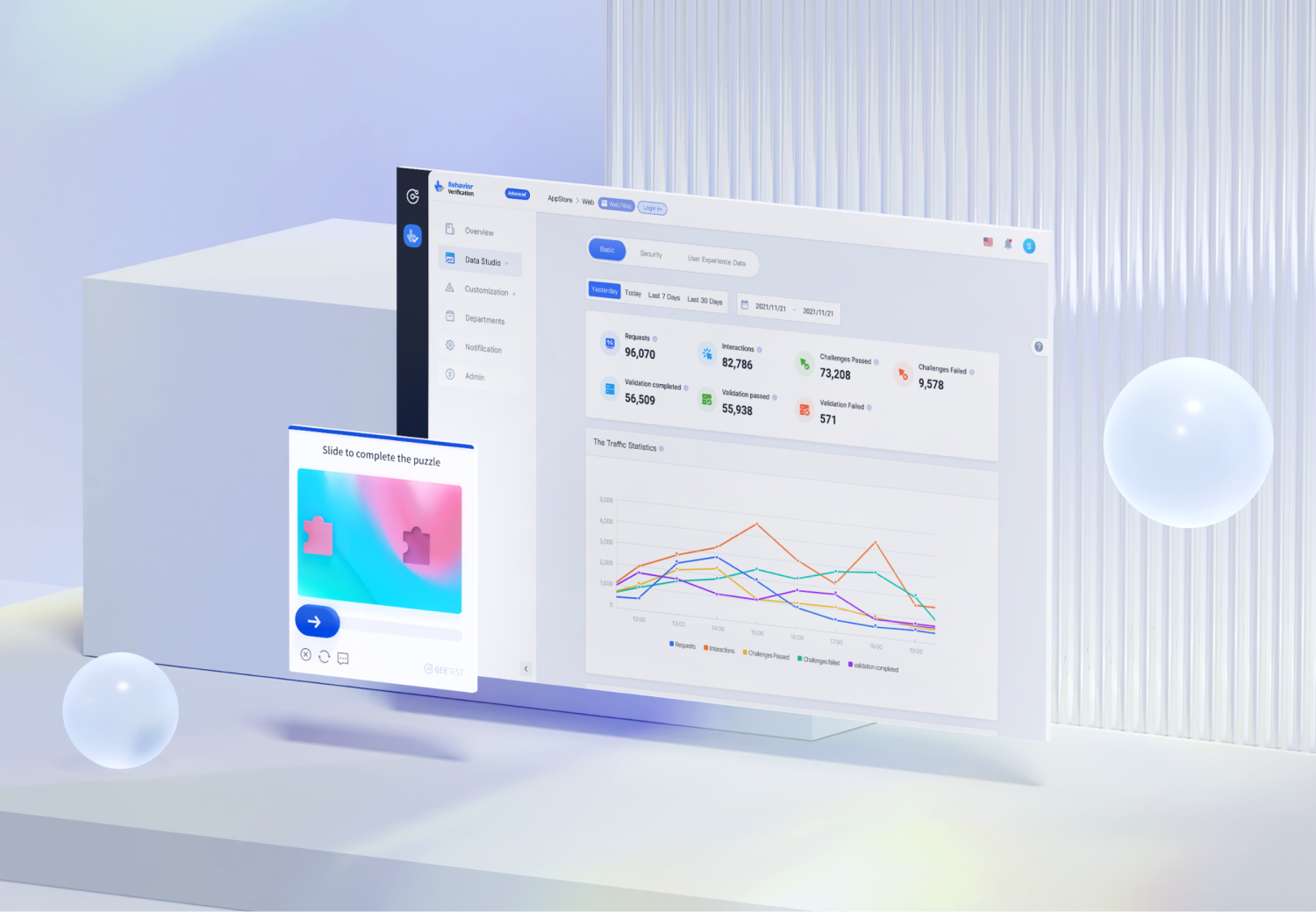
GeeTest CAPTCHA stands out as the pioneer and originator of Slider CAPTCHA. Since launching the world’s first behavior-based slide puzzle CAPTCHA in 2012, GeeTest has delivered over 13 years of proven reliability and continuous innovation. You benefit from its battle-tested behavior analysis technology that adapts intelligently to every user interaction, ensuring a seamless and frictionless experience. The tool constantly evolves to stay ahead of modern security threats, offering a robust, AI-powered defense against bots by deeply analyzing human behavior patterns.
Features
- Advanced Bot Detection: GeeTest CAPTCHA employs sophisticated algorithms to detect and block automated bots. It analyzes user behavior—such as mouse movements, touch gestures, sliding speed, and trajectory—to distinguish humans from bots with unmatched accuracy.
- Intuitive and User-Friendly: The simple drag-and-drop action is effortless and frustration-free, making it ideal for all users, including non-tech-savvy audiences.
- Dynamic Challenges: Challenges adapt in real time and change dynamically, making it extremely difficult for bots to predict or bypass while keeping the experience smooth for real users.
- Multi-Factor Authentication: Combines slide puzzles with image recognition and other intelligent challenges for layered, enterprise-grade security.
Compatibility
- Wide Platform Support: Secures websites, mobile apps, and APIs across WEB, WAP, iOS, Android, and HTML5.
- Broad Browser Compatibility: Fully compatible with all major browsers, including Internet Explorer 6 and above.
- Multiple Deployment Options: Supports private deployment, semi-private deployment, SaaS, dedicated clusters, and hybrid cloud to meet any enterprise requirement.
- Global Support: Supports 78 languages with world-class global infrastructure for lightning-fast response anywhere in the world.
Integration
- Seamless Integration: Quick and easy setup with comprehensive documentation and full API support.
- Customization Options: Extensive branding and design customization to perfectly match your website.
- Disaster Recovery & Support: Robust disaster recovery mechanisms and dedicated account managers ensure smooth implementation and 24/7 stability.
- Regular Updates: 8-day material library refresh with 70,000 new materials per update, keeping you ahead of evolving bot technologies.
Conclusion
Slider CAPTCHA is now an essential security layer for modern websites, helping block automated abuse while maintaining a smooth user experience. As bot attacks become more intelligent, behavior-based verification offers a more effective and user-friendly alternative to traditional challenges.
As the original creator of Slider CAPTCHA in 2012, GeeTest brings over a decade of proven reliability, protecting hundreds of thousands of business scenarios worldwide. In addition to slider CAPTCHA, GeeTest supports 9 CAPTCHA types to meet different security needs, allowing organizations to strengthen protection without increasing user friction.